
PickJobs
  • Home
  • PickJobs Ai
  • Blog
    • Laws
    • Research
    • Tips & Tricks
    • Ebook
  • News
    • Job Seekers
    • Employers
  • About Us
    • Career
    • Contact Us
    • FAQ
    • About us
Зареєструватись
  • Croatia Bosnia and Herzegovina Serbia Crna Gora North Macedonia Albania Kosovo Austria Deutschland Switzerland United Kingdom
  • Home
  • PickJobs Ai
  • Blog
    • Laws
    • Research
    • Tips & Tricks
    • Ebook
  • News
    • Job Seekers
    • Employers
  • About Us
    • Career
    • Contact Us
    • FAQ
    • About us

Job Ads

  • Головна сторінка /
  • Питання та відповіді (FAQ) /
  • Job Ads /

Creating and managing ads

author
Автор
22.12.2022 09:43 Оновлено

Start creating an ad by clicking on the icon in the upper right corner of your NewsFeed.

Choose one of the three options offered

  • Basic ad
  • Advanced ad
  • Premium ad

Enter:

  • Ad title
  • Job description
  • Industry
  • Occupation
  • Photo

Enter the basic information related to the workplace:

  • Working hours
  • Location
  • Salary

Enter additional information related to the workplace:

  • Work experience
  • Possibility to choose a driver's license
  • Skills you seek from a future employee
  • You can choose up to 20 skills

Additional benefits you offer in addition to the workplace (optional)

  • Accommodation
  • Food
  • Travel expenses

Define: 

  • Ad duration
  • Ad start date

Additional options 

  • PJ QuickTest option
  • HTML design option
  • Display ads on the front page

Once your ad is published, you can edit and change the data:

  • Contact
  • Work experience
  • Driving licenses
  • Skills
  • Feature

Once an ad has been published, you can’t change the data related to:

  • Category of industry
  • Occupation category

If you make a mistake when entering data, and you have already published an ad, contact our customer service with the following link: Contact us

Пов'язані статті

  • What are favorites and following?
  • PJ QuickTest and PJ Select
  • PJ Match
  • How to contact potential candidates or employers?
  • Managing applications
  • How to apply for a job ad?
  • How do I extend duration of my ad?
  • PJ Gift
  • PJ Boost and Job Ad position

Мобільний додаток PickJobs

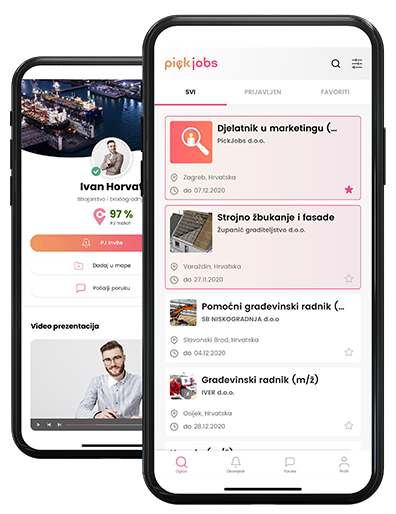
Завантажте безкоштовний мобільний додаток PickJobs на свій Android або iOS, через Google Play Store або App Store та отримайте доступ до можливостей будь-де та в будь-який час.

  • Перевірте це в App Store
  • Перевірте це в Google Play
  • Перевірте це в AppGallery

Ви шукаєте роботу? Шукаєте нових працівників? Ви розглядаєте нові можливості? Створіть свій профіль, контролюйте його вміст і станьте конкурентоспроможним у досягненні своїх цілей.

What's New
  • Job Seekers
  • Employers
  • Blog
FAQ
  • Getting Started
  • Your Account
  • Payment & Credits
  • Files & Documents
  • Job Ads
About
  • About PickJobs
  • Career
  • Price list
  • Media about us
  • White label
  • Contact Us
Legal
  • Privacy Policy
  • Cookies
  • GDPR
  • Terms and Conditions
  • Security of Online Payments
Підпишіться на нашу розсилку новин
Заява про співфінансування

Кінцевим одержувачем фінансового інструменту, співфінансованого з Європейського фонду відповідального за регіональний розвиток в рамках Оперативної програми є «Конкурентоспроможність та згуртованість»

Наші партнери
Awards and recognitions

Copyright 2026. PickJobs всі права захищені.
Політика щодо cookie

Для найкращого користувацького досвіду та повної функціональності всіх опцій сайту, PickJobs використовує файли cookie та подібні технології. Якщо ви продовжуєте використовувати цей сайт, ми вважатимемо, що ви прийняли та погодилися з нашою Політикою щодо cookie. Докладніше про Політику щодо cookie.

Приймаю
PickJobs

Мобільний додаток PickJobs

Завантажте безкоштовний мобільний додаток PickJobs на свій Android або iOS, через Google Play Store або App Store та отримайте доступ до можливостей будь-де та в будь-який час.

  • Перевірте це в App Store
  • Перевірте це в Google Play
  • Перевірте це в AppGallery