
PickJobs
  • Home
  • PickJobs Ai
  • Blog
    • Laws
    • Research
    • Tips & Tricks
    • Ebook
  • News
    • Job Seekers
    • Employers
  • About Us
    • Career
    • Contact Us
    • FAQ
    • About us
Registruj se
  • Croatia Bosnia and Herzegovina Crna Gora North Macedonia Ukraine Albania Kosovo Austria Deutschland Switzerland United Kingdom
  • Home
  • PickJobs Ai
  • Blog
    • Laws
    • Research
    • Tips & Tricks
    • Ebook
  • News
    • Job Seekers
    • Employers
  • About Us
    • Career
    • Contact Us
    • FAQ
    • About us

Job Ads

  • Početna stranica /
  • Često postavljenja pitanja i odgovori /
  • Job Ads /

Creating and managing ads

author
Autor
22.12.2022 09:43 Ažurirano

Start creating an ad by clicking on the icon in the upper right corner of your NewsFeed.

Choose one of the three options offered

  • Basic ad
  • Advanced ad
  • Premium ad

Enter:

  • Ad title
  • Job description
  • Industry
  • Occupation
  • Photo

Enter the basic information related to the workplace:

  • Working hours
  • Location
  • Salary

Enter additional information related to the workplace:

  • Work experience
  • Possibility to choose a driver's license
  • Skills you seek from a future employee
  • You can choose up to 20 skills

Additional benefits you offer in addition to the workplace (optional)

  • Accommodation
  • Food
  • Travel expenses

Define: 

  • Ad duration
  • Ad start date

Additional options 

  • PJ QuickTest option
  • HTML design option
  • Display ads on the front page

Once your ad is published, you can edit and change the data:

  • Contact
  • Work experience
  • Driving licenses
  • Skills
  • Feature

Once an ad has been published, you can’t change the data related to:

  • Category of industry
  • Occupation category

If you make a mistake when entering data, and you have already published an ad, contact our customer service with the following link: Contact us

Povezani članci

  • What are favorites and following?
  • PJ QuickTest and PJ Select
  • PJ Match
  • How to contact potential candidates or employers?
  • Managing applications
  • How to apply for a job ad?
  • How do I extend duration of my ad?
  • PJ Gift
  • PJ Boost and Job Ad position

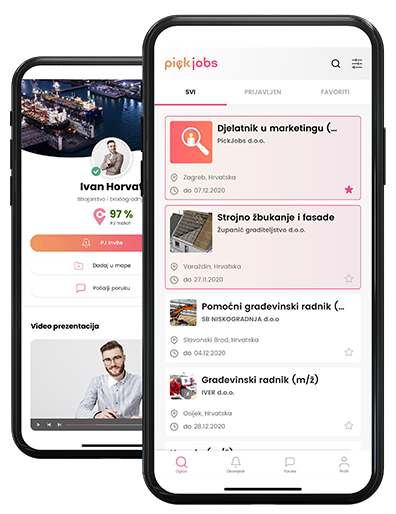
PickJobs mobilna aplikacija

Preuzmite besplatnu PickJobs mobilnu aplikaciju na svom Android ili iOS uređaju, putem Google Play Store-a ili App Store-a i ostvarite pristup bilo gde i bilo kada.

  • Download on the App Store
  • Get it on Google Play
  • Explore it on AppGallery

Tražite posao ili ste u potrazi za novim zaposlenicima? Istražujete mogućnosti? Kreirajte svoj profil, kontrolišite njegov sadržaj i postanite konkurentni u ostvarenju vaših ciljeva.

What's New
  • Job Seekers
  • Employers
  • Blog
FAQ
  • Getting Started
  • Your Account
  • Payment & Credits
  • Files & Documents
  • Job Ads
About
  • About PickJobs
  • Career
  • Price list
  • Media about us
  • White label
  • Contact Us
Legal
  • Privacy Policy
  • Cookies
  • GDPR
  • Terms and Conditions
  • Security of Online Payments
Prijavite se na newsletter
Izjava o sufinanciranju

Krajnji primatelj financijskog instrumenta sufinanciranog iz Europskog fonda za regionalni razvoj u sklopu Operativnog programa “Konkurentnost i kohezija”

Naši partneri
Nagrade i priznanja

Copyright 2026. PickJobs sva prava pridržana.
Kolačići

Za najbolje korisničko iskustvo i potpunu funkcionalnost svih karakteristika web stranice, PickJobs koristi kolačiće i slične tehnologije. Ako nastavite da koristite ovu stranicu, smatratćemo da ste prihvatili i usuglasili se sa našim Pravilima o kolačićima. Pročitajte više o Kolačićima

Prihvatam
PickJobs

PickJobs mobilna aplikacija

Preuzmite besplatnu PickJobs mobilnu aplikaciju na svom Android ili iOS uređaju, putem Google Play Store-a ili App Store-a i ostvarite pristup bilo gde i bilo kada.

  • Download on the App Store
  • Get it on Google Play
  • Explore it on AppGallery