
PickJobs
  • Home
  • PickJobs Ai
  • Blog
    • Laws
    • Research
    • Tips & Tricks
    • Ebook
  • News
    • Job Seekers
    • Employers
  • About Us
    • Career
    • Contact Us
    • FAQ
    • About us
Registrieren
  • Croatia Bosnia and Herzegovina Serbia Crna Gora North Macedonia Ukraine Albania Kosovo Deutschland Switzerland United Kingdom
  • Home
  • PickJobs Ai
  • Blog
    • Laws
    • Research
    • Tips & Tricks
    • Ebook
  • News
    • Job Seekers
    • Employers
  • About Us
    • Career
    • Contact Us
    • FAQ
    • About us

Job Ads

  • Startseite /
  • Häufig gestellte Fragen und Antworten /
  • Job Ads /

How to apply for a job ad?

author
Autor
22.12.2022 09:33 Aktualisiert

The PickJobs platform allows you an unlimited number of applications. The PickJobs platform rewards bigger number of applications with profile verification, which brings additional benefits. More applications brings more employment opportunities and makes you an active member.


Find the ad you want to sign up for on your Newsfeed:

  • Click the button "View Job"
  • Click the button "Apply"
  • Fill in the required information required to apply
  • Click button "Send Application"

Sending applications

By adding additional documents to the application, you have the opportunity to leave a better impression with a potential employer. Enter work experience years in the required field because each employer takes this information into account when selecting.

A personal message is a detail with which you can attract attention, emphasize why you signed up for this ad and why you would like to become part of their staff. Perhaps it is precisely this detail that is crucial  and that will make a difference compared to other candidates.
Verbundene Artikel

  • What are favorites and following?
  • PJ QuickTest and PJ Select
  • PJ Match
  • How to contact potential candidates or employers?
  • Managing applications
  • How do I extend duration of my ad?
  • PJ Gift
  • PJ Boost and Job Ad position
  • Creating and managing ads

PickJobs Mobile App

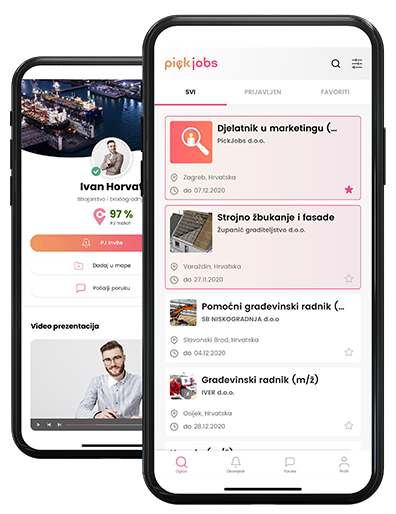
Laden Sie die kostenlose PickJobs Mobile Applikation über den Google Play Store oder App Store auf Ihr Android- oder iOS-Gerät herunter und erhalten Sie jederzeit und überall Zugriff.

  • Laden Sie PickJobs im App Store herunter
  • Laden Sie PickJobs bei Google Play herunter
  • Erforschen Sie PickJobs in der AppGallery

Suchen Sie einen Job oder suchen Sie neue Mitarbeiter? Erforschen Sie Möglichkeiten? Erstellen Sie Ihr Profil, kontrollieren Sie dessen Inhalt und werden Sie wettbewerbsfähig, um Ihre Ziele zu erreichen.

What's New
  • Job Seekers
  • Employers
  • Blog
FAQ
  • Getting Started
  • Your Account
  • Payment & Credits
  • Files & Documents
  • Job Ads
About
  • About PickJobs
  • Career
  • Price list
  • Media about us
  • White label
  • Contact Us
Legal
  • Privacy Policy
  • Cookies
  • GDPR
  • Terms and Conditions
  • Security of Online Payments
Abonnieren Sie unseren Newsletter
Erklärung zur Kofinanzierung

Endempfänger von Finanzierungsinstrument kofinanziert aus dem Europäischen Fonds für regionale Entwicklung im Rahmen des operationellen Programms „Wettbewerbsfähigkeit und Kohäsion“.

Unsere Partner
Awards and recognitions

Copyright 2026. PickJobs alle Rechte vorbehalten.
Cookies

Für die beste Benutzererfahrung und volle Funktionalität aller Webseiteneigenschaften verwendet PickJobs Cookies und ähnliche Technologien. Wenn Sie fortsetzen diese Webseite zu nutzen, gehen wir davon aus, dass Sie unsere Cookies-Regeln akzeptieren und damit einverstanden sind. Lesen Sie mehr über Cookies-Richtlinie

Akzeptieren
PickJobs

PickJobs Mobile App

Laden Sie die kostenlose PickJobs Mobile Applikation über den Google Play Store oder App Store auf Ihr Android- oder iOS-Gerät herunter und erhalten Sie jederzeit und überall Zugriff.

  • Laden Sie PickJobs im App Store herunter
  • Laden Sie PickJobs bei Google Play herunter
  • Erforschen Sie PickJobs in der AppGallery